Do You Need a WMS If You Already Run a TMS?
Learn when a TMS alone is enough, what operational signs mean you need a WMS too, and how the two systems should hand off data day to day.


You need a WMS once warehouse execution, not freight execution, is what's causing your late tenders and bad ASNs. If pick delays, mis-staged pallets, or missed dock windows are feeding your TMS bad data, that's a warehouse problem no amount of TMS tuning will fix. If your pain is rates, carrier performance, or routing, the TMS is still doing its job and a WMS won't move the needle.
What's the real difference between a TMS and a WMS when you're the one running day-2 ops?
A TMS owns the shipment record and the carrier handoff. A WMS owns the SKU and location record inside your four walls. That's the whole split, and it holds up even when vendors blur the lines in their sales decks.
The core data unit in a TMS is a shipment. The core data unit in a WMS is a SKU, according to GoFreight's comparison breakdown. Pinquark frames it the same way from the operations side: a WMS manages what happens inside the warehouse, while a TMS manages what happens in transportation. If you're an admin, this is the line you draw when someone asks why a shipment is "stuck" and the answer turns out to be a bin location problem, not a carrier problem.
| Dimension | TMS | WMS |
|---|---|---|
| Core data unit | Shipment / booking | SKU / bin / lot |
| Trigger point | Ship confirmation received | Order release from ERP |
| Response speed | Minutes to hours, plan by plan | Seconds, scan by scan |
| Primary question answered | Who carries it and what does it cost | Where is it and who picks it |
The WMS data model is built around physical position, while transport data is built around commercial movement, carrying origin, destination, weight, class, service level, and negotiated price, per Rorix Tech's breakdown.
What operational symptoms tell you you've outgrown spreadsheets and need a WMS?
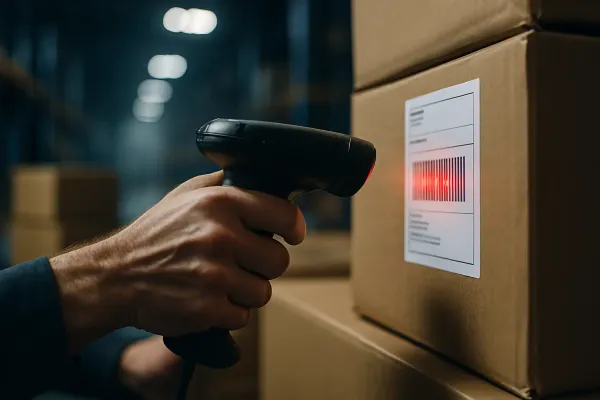
The giveaway isn't SKU count, it's re-keying. If your dock team is typing shipment data into the TMS by hand because the warehouse system can't push it, you're already past the point where a WMS pays for itself.
- Pickers working more than one physical zone and no system telling the TMS which zone finished first
- Staff manually entering load or pick-complete data into the TMS because nothing talks to it automatically
- Dock appointments missed because the warehouse floor didn't know a truck was already booked
- ASNs going out based on what was ordered, not what was actually picked and staged
When a warehouse management system and transportation management system don't talk to each other, someone usually ends up having to manually enter the same order and shipment data by hand, as ShipperGuide puts it. That manual re-entry is the symptom. The WMS is the fix.
Which events should actually trigger a handoff between WMS and TMS?
Five events matter: order released, pick complete, pack complete, dock door assigned, and BOL generated. Everything else is noise your integration doesn't need to carry.
The integration exchanges information when predefined warehouse events occur, typically using one of two approaches: standard integrations may shorten implementation when both platforms already support the connection, while API-based integrations typically provide more flexibility for complex workflows. For a shipper running dock scheduling alongside transportation, the payoff is concrete: minimizing detention risk by aligning freight readiness with carrier arrival times.
Here's a mini-SOP worth copying into your own exception playbook:
- Pick complete fires in the WMS. This should post to the TMS automatically, not sit in a batch job.
- TMS tenders the load based on the real pick-complete timestamp, not the order-release timestamp.
- Dashboard flag: if a pick-complete event hasn't reached the TMS within your agreed window, that's an exception, not a delay to shrug off.
- Dock door assignment flows back to the WMS so staging matches the actual carrier appointment.
What actually breaks when the TMS and WMS aren't synced?
You get detention charges from pallets nobody told the carrier were ready, double data entry errors from staff bridging the gap by hand, and ASN mismatches that trigger retailer chargebacks. None of these are hypothetical; they're the predictable output of a missing handoff.
Worth knowing before you assume integration is a given: not all warehouse management systems can integrate with transportation management software, so finding a WMS and TMS compatible with each other can be challenging, per 3Gtms. That's a sourcing question you should ask before go-live, not after your first detention invoice.
Can one platform run both jobs, and is that ever the right call?
Yes, combined TWMS platforms exist, but the underlying data models stay separate even inside one UI. That's fine for a single-site shipper. It gets risky once you're running multiple nodes or multiple carriers.
One early example, ShipCaddie TWMS combined all of the functionality of a WMS and a TMS into one, seamless system without the use of integrations to tie the pieces together, per Wikipedia's entry on the category. But as GoFreight notes, one platform can bundle both, but the underlying data models remain separate. Bundling reduces integration risk, not data model risk.
On the transportation side, shippers run everything from MercuryGate and Manhattan Active to Blue Yonder, alongside multi-carrier connectivity layers like Cargoson, ShippyPro, Sendcloud, or Shippo. Whichever TMS or carrier layer you run, the WMS handoff question doesn't go away. It just moves.
If you need both, how do you sequence the rollout without breaking live operations?
Don't run both migrations in parallel. Stabilize one handoff, freeze config changes on that side, then bring the second system online against a known-good baseline.
JBF Consulting's guidance on this is blunt: ideally, both systems would be implemented simultaneously to maximize efficiency, but practical limitations often make this unrealistic for most shippers. Their five-factor framework starts with the business case and ends with integration planning, and the throughline is the same one that shows up in every TMS post-mortem: poor sequencing or insufficient planning can lead to costly inefficiencies, delayed performance gains, and misaligned workflows between systems.
If you're deciding whether this is your year for a WMS, screenshot this: multiple pick zones feeding one TMS, staff re-keying pick-complete data by hand, dock appointments missed because the floor didn't know, and ASNs that don't match what actually shipped. Two or more of those, and the WMS conversation isn't optional anymore.