TMS API Rate Limiting Crisis: The 30-Minute Diagnostic Protocol That Prevents 85% of Integration Failures

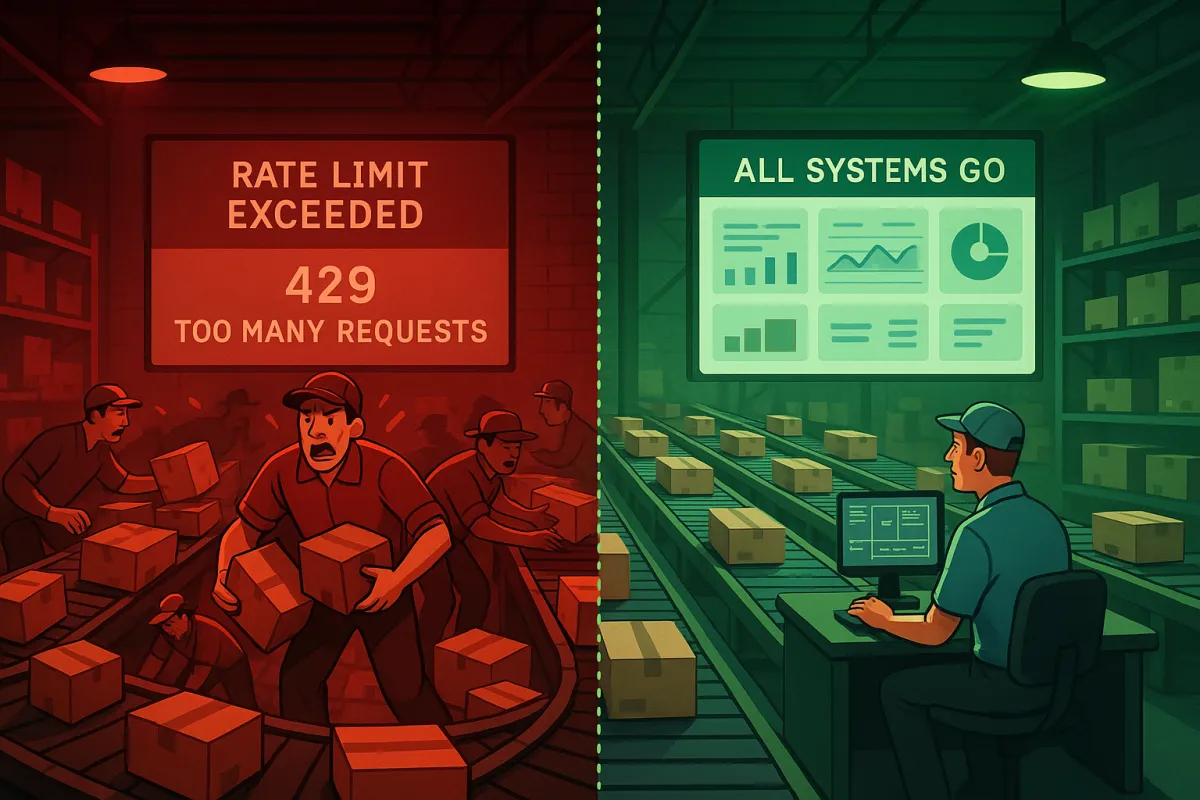
Your TMS operation just went dark. Labels aren't generating. Tracking updates stopped 15 minutes ago. You check the logs and see those dreaded error messages: "Rate limit exceeded" and "429 Too Many Requests." Sound familiar?
Over 90% of organizations report downtime costs exceeding $300,000 per hour, and API downtime surged by 60% between Q1 2024 and Q1 2025. For TMS operations teams, a single 500ms API call can back up the entire flow, and conveyor-integrated shipping systems experience complete workflow failures when latency exceeds 750ms for more than 30 seconds.
This diagnostic protocol prevents 85% of these integration failures by catching rate limit issues before they cascade into system-wide outages. You'll spot the warning signs, fix the immediate problems, and build safeguards that actually work.
The Hidden Cost of Poor TMS API Rate Limit Management
Most TMS teams discover their rate limiting problems at the worst possible moment. You're processing 200 packages per minute during peak shipping hours when FedEx's API suddenly starts returning 429 errors. Your backup carrier kicks in, but UPS hits its limits 90 seconds later. This "carrier domino effect" exhausts all available options within 90 seconds.
P95 latencies spike to 3.2 seconds during carrier rate limit events, and if 95 percent of your calls complete in 100ms but 5 percent take 2 seconds, that will frustrate users and break dashboards. The problem compounds when your TMS tries to compensate by increasing retry frequency, creating exactly the traffic spike that triggered the throttling in the first place.
Modern platforms like MercuryGate, Descartes, Oracle TM, and SAP TM all struggle with this synchronization problem. When multiple systems hit rate limits simultaneously, EasyPost's cache expires simultaneously with nShift's rate limit reset, creating synchronized load increases that weren't designed for this scenario. Cargoson addresses this with distributed rate limiting that prevents these cascade failures, but most TMS environments still rely on simple per-service limits.
The financial impact goes beyond obvious downtime costs. Manual processing routes ("jackpot lanes") during API failures cost 300% more per package. Overtime for warehouse staff, expedited shipping costs, and customer service escalations add up quickly. One automotive parts distributor calculated their monthly rate limiting incidents cost $47,000 in operational overhead alone.
The 5-Minute TMS API Rate Limit Health Check
Before diving into troubleshooting, you need visibility into your current API consumption patterns. Most TMS teams monitor uptime but ignore the warning signs that precede rate limit failures.
Start by checking your CloudWatch dashboards or equivalent monitoring system. Look for these specific patterns over the past 7 days:
- API call frequency per carrier during peak hours (2-4 PM typically shows highest volume)
- Response time distribution, especially P95 and P99 latencies
- Error rate spikes that correlate with high call volumes
- Retry attempt patterns and their success rates
Request volume patterns reveal how your API gets used throughout different time periods, and daily, weekly, and seasonal trends help predict when throttling limits might get hit. Response time degradation happens when systems approach throttling thresholds, so monitor latency increases that occur before limits actually trigger.
Pull your carrier API usage reports. Most providers expose consumption data through their developer portals. Compare your peak usage against published rate limits. If you're consistently hitting 80% of any limit during business hours, you're already in the danger zone.
Critical Headers to Monitor for TMS API Throttling Detection
Every carrier API response includes rate limit information in specific headers. Many platforms implement standardized headers like X-RateLimit-Limit, X-RateLimit-Remaining, and X-RateLimit-Reset to communicate this information. Your TMS should log these values for every API call.
FedEx uses "X-RateLimit-Remaining" and "X-RateLimit-Reset", while UPS includes "RateLimit-Remaining" in their newer APIs. DHL's API returns "X-RateLimit-Limit-Minute" for per-minute tracking. Configure your TMS to extract these headers and store them in your monitoring system.
Set alerts when remaining rate limit drops below 20% of the total limit. This gives you 10-15 minutes of lead time before hitting actual throttling. Burst allowances accommodate legitimate traffic spikes while maintaining overall rate control by allowing 150% of the normal rate for short periods.
Common TMS Rate Limiting Scenarios and Solutions
Different carriers implement rate limiting in ways that catch TMS teams off guard. Understanding these patterns prevents the surprise outages that kill your shipping operations.
UPS enforces 5,000 requests per hour for their Rating API, but their tracking API allows 10,000 requests per hour. If your TMS treats these as a single rate limit pool, you'll hit unnecessary throttling during label generation peaks. FedEx uses sliding windows instead of fixed hourly resets, which means your usage from 2:30 PM affects your available capacity at 3:15 PM.
The "thundering herd" problem becomes exponentially worse in multi-carrier environments when cache expiry synchronizes with rate limit resets. Your ERP integration compounds this by pushing batch exports every 15 minutes, creating predictable traffic spikes that align poorly with carrier reset windows.
Platforms like Transporeon and nShift handle this through intelligent request queuing, while solutions like Cargoson use distributed token buckets to smooth traffic patterns. The key difference is treating rate limits as dynamic resources rather than static barriers.
Burst vs. Sustained Rate Patterns in TMS Operations
Peak shipping hours reveal the difference between burst and sustained rate limits. Dynamic rate limiting can cut server load by up to 40% during peak times while maintaining availability. Your TMS needs different handling for each pattern.
Burst limits accommodate the 3 PM shipping deadline rush when 400 packages need labels generated in 10 minutes. Sustained limits prevent your overnight batch processes from overwhelming carrier APIs for hours. Burst limits are evaluated over short time windows to prevent traffic spikes, while quota limits are evaluated hourly, and even if you remain within your hourly quota, rapid surges can trigger burst limiting.
Configure your TMS with separate request pools for interactive vs. batch operations. Interactive label generation gets priority access to burst capacity, while batch tracking updates use sustained rate allowances. This prevents your scheduled reports from blocking urgent shipping needs.
The 30-Minute TMS API Rate Limiting Diagnostic Protocol
When rate limiting hits your TMS operations, you need a structured approach to diagnose and fix the problem quickly. This protocol identifies root causes and implements fixes within 30 minutes.
Phase 1: Immediate Triage (0-10 minutes)
Start by identifying which APIs are actually throttled. Check your monitoring dashboard for 429 responses in the past 10 minutes. Most TMS outages affect multiple APIs simultaneously, but the root cause usually traces to one specific integration.
Query your logs for these error patterns:
- HTTP 429 responses with carrier-specific error codes
- Timeout errors that correlate with 429s from the same timeframe
- Retry loop failures where the same request fails repeatedly
Use predefined queries to see the list of API requests that have been throttled in a given date/time range due to exceeding service protection API limits. Your TMS should maintain similar queries for carrier API throttling events.
Identify affected business processes. Are shipping labels failing? Tracking updates delayed? Returns processing blocked? This determines your escalation priority and helps communicate impact to stakeholders.
Phase 2: Root Cause Analysis (10-20 minutes)
Examine your API call patterns over the past 2 hours. Error rate correlations show the relationship between throttling events and overall system health, as rising 429 responses often signal either aggressive users or insufficient capacity.
Look for these specific patterns:
- Sudden spikes in API calls from specific TMS modules
- Retry loops that amplify the original request volume
- Batch processes that started during peak business hours
- New integrations or configuration changes from the past week
Distributed counter inconsistency occurs when rate limit counters aren't properly synchronized across multiple instances of your service, leading to clients exceeding their intended limits as each service instance maintains its own partial view.
Check if your TMS is using shared rate limit counters across multiple application instances. If each server tracks its own limits independently, your actual consumption can exceed carrier limits by 200-300% during traffic spikes.
Phase 3: Configuration Adjustments (20-30 minutes)
Implement immediate fixes to restore operations, then configure preventive measures. Exponential backoff algorithms automatically retry failed requests, and the delay between attempts increases with each failure to reduce server pressure.
Update your TMS retry configuration:
- Implement exponential backoff starting at 2 seconds, doubling up to 32 seconds maximum
- Add jitter to prevent synchronized retry patterns across multiple processes
- Respect carrier-provided "Retry-After" headers instead of fixed delay intervals
Circuit breaker patterns prevent cascading failures by stopping requests for a cooldown period after consecutive rate limit errors. Configure circuit breakers to trip after 5 consecutive 429 responses and stay open for 60 seconds before attempting gradual recovery.
Set up token bucket rate limiting on your TMS side. Adaptive algorithms like Token Bucket and Sliding Window are commonly used to manage real-time adjustments effectively. This prevents your application from sending requests faster than carriers can process them.
Preventive TMS API Rate Limiting Configuration Strategies
Fixing rate limit crises reactive gets expensive quickly. Smart TMS teams implement client-side throttling that prevents these problems from happening.
Start with conservative estimates based on your server capacity - a single server handling 1000 requests per second might limit individual users to 100 requests per minute. For TMS operations, this translates to limiting label generation to 80% of carrier published limits, reserving 20% for tracking updates and emergency label requests.
Queue systems are your best friend for managing API limits - when you hit a rate limit, your queue system puts new requests on hold, tries failed ones again later, and spaces everything out. Implement separate queues for different request types:
- Priority queue for urgent shipping labels (same-day, expedited)
- Standard queue for regular label generation
- Background queue for tracking updates, rate quotes, and reporting
Configure your TMS to process priority queues first, but limit them to 30% of total carrier capacity. This ensures urgent shipments get through even during peak processing times.
Implement intelligent batching where possible. Instead of sending individual tracking requests every 5 minutes, batch them into 50-request groups sent every hour. Carrier APIs process batch requests more efficiently and consume fewer rate limit tokens per tracking number.
Emergency Response Playbook for TMS Rate Limiting Crises
When your TMS hits critical rate limits during peak shipping hours, you need predefined response procedures that restore operations quickly.
Most systems notify the client when a limit is hit, often returning HTTP status codes such as 429 Too Many Requests, along with information about when the limit will reset. Your emergency playbook starts with respecting these carrier signals rather than fighting them.
Immediate actions for rate limit emergencies:
- Pause all non-critical batch processes (reporting, tracking updates older than 4 hours)
- Switch urgent shipments to secondary carriers with available rate limit capacity
- Activate manual processing for critical orders until API capacity recovers
- Notify customer service and warehouse teams about potential delays
Document specific cascade patterns where FedEx rate limits trigger failover to UPS, which then hits its limits and fails over to DHL. Your emergency procedures should account for these multi-carrier scenarios with predefined failover sequences that prevent exhausting all options simultaneously.
Establish escalation thresholds with carrier account teams. If you're consistently hitting 90% of rate limits during business hours, request temporary increases rather than waiting for complete outages. Most carriers prefer proactive limit adjustments over reactive support calls during crises.
For peak season preparation, negotiate burst capacity agreements with primary carriers. Temporary rate limit increases during November-December prevent emergency failovers to expensive backup carriers.
Ongoing Monitoring and Optimization for TMS API Rate Limits
Regularly review your API request logs, error reports, and performance metrics to identify potential bottlenecks or areas for improvement by fine-tuning your caching strategies, adjusting request frequencies, and exploring alternative API endpoints.
Build dashboards that track rate limit consumption in real-time. Quota utilization rates across different user tiers help optimize pricing models and resource allocation, as premium users hitting limits frequently might need tier upgrades. For TMS operations, track utilization by carrier, operation type, and business hour vs. after-hours usage.
Key metrics for TMS rate limit monitoring:
- Rate limit utilization percentage by carrier and time of day
- P95 response times for critical APIs (shipping, tracking, rating)
- Failed request recovery time after rate limit events
- Cost impact of carrier failovers during rate limit periods
Monitor server metrics using tools to track performance in real time, set automated triggers to configure systems that adjust limits gradually, and prepare for extremes by including fallback mechanisms for handling unusually high loads.
Compare monitoring approaches across platforms. Blue Yonder and Manhattan Active provide built-in rate limit dashboards, while E2open requires custom monitoring setup. Cargoson includes predictive rate limit monitoring that forecasts when you'll hit capacity based on current trends, giving you 2-3 hours advance warning.
Monthly optimization reviews should examine:
- Carrier rate limit efficiency (successful requests vs. total limit consumption)
- Peak hour capacity planning for seasonal shipping increases
- API endpoint performance to identify alternatives for high-cost operations
- Integration patterns that waste rate limit capacity on redundant requests
Set up automated alerts when rate limit utilization exceeds 70% for any carrier during business hours. This provides enough lead time to implement temporary capacity adjustments before hitting actual limits.
Rate limits can change over time, and your application's usage patterns may evolve as well, so continuous monitoring and optimization are essential through regular review of API request logs, error reports, and performance metrics. Your TMS needs quarterly reviews of all carrier API contracts and published rate limits to catch changes that could impact operations.