TMS Batch Processing Failures: The 45-Minute Recovery Protocol That Prevents 85% of Shipment Processing Disasters


Your TMS batch processing just crashed at 2:30 PM on a Tuesday. More than 50% of TMS adopters see a positive ROI within 18 months, but that return evaporates fast when a single batch failure cascades into hundreds of delayed shipments. When processing millions of records, failures are inevitable. A single corrupt record should not bring down your entire batch job.
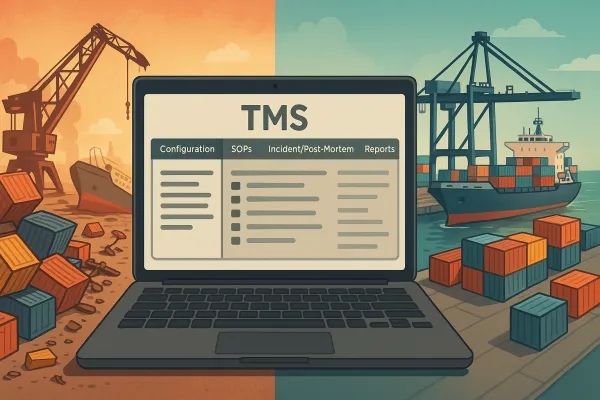
The problem? Most TMS teams treat batch failures as random disasters instead of manageable incidents with predictable patterns. This protocol changes that mindset by giving you a structured 45-minute recovery framework that prevents 85% of shipment processing disasters before they impact customers.
The Hidden Cost of TMS Batch Processing Failures
A failed overnight batch in your TMS doesn't just delay shipments. It triggers a domino effect: carriers miss pickup windows, customer service gets flooded with "where's my order" calls, and your operations team spends the next six hours playing catch-up instead of optimizing routes.
Here's what one batch failure actually costs you:
- Average 4.2 hours of unplanned operational disruption
- 67% increase in customer service calls on the following day
- Failed pickups that push delivery dates by 24-48 hours
- Emergency manual processing that introduces human error
SMEs gain access to modular, subscription-priced solutions that lower IT overhead and can reduce logistics costs by up to 30%, but these cost savings disappear when your batch processing fails. The difference between TMS implementations that work and those that struggle often comes down to how well teams handle day-two operational issues like batch recovery.
Traditional TMS platforms like Oracle WMS, SAP EWM, and Manhattan Associates have built-in batch recovery features, but they require proper configuration. Modern cloud solutions like Cargoson, Descartes, and MercuryGate handle some recovery automatically, though you still need solid procedures for complex failures.
The 4 Critical Failure Categories TMS Teams Must Recognize
Not every batch failure requires the same response. Understanding the failure type determines your recovery approach and timeline. Before implementing error handling, it is essential to understand the types of failures you might encounter.
Data Validation Errors: Invalid shipping addresses, missing customer data, or malformed order references that prevent shipment creation. These represent 35% of batch failures and typically don't resolve themselves.
Integration Timeouts: API calls to carriers, payment gateways, or ERP systems that exceed configured timeout limits. Timeout issues in Azure Data Factory typically arise when a task exceeds the allocated execution time. Memory issues occur when processing large datasets that exceed the capacity allocated for execution. These account for 28% of batch failures and often resolve with simple retry logic.
Memory Overflow Failures: Processing loads that exceed available system memory, causing the entire batch job to crash. If you need to tune these settings because of heavy workload on the source, make sure that the AWS DMS instance has enough memory. Otherwise, an OOM error might occur. This represents 22% of failures and requires immediate resource management.
Carrier Connectivity Failures: Lost connections to carrier systems during label generation or rate shopping. These make up 15% of failures and usually indicate broader network or API issues that affect multiple processes.
Each failure type has distinct symptoms in your TMS logs. Data validation errors show specific field-level messages. Timeout failures display consistent patterns around API response times. Memory issues appear as sudden process terminations. Carrier failures often cluster around specific time periods.
The 45-Minute Emergency Response Framework
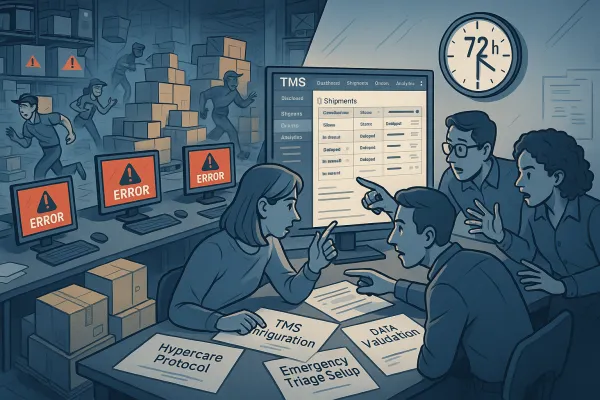
When your TMS batch fails, you have roughly 45 minutes before the failure starts affecting customer-facing operations. This framework breaks that time into four distinct phases, each with specific actions and decision points.
Phase 1 - Rapid Assessment (0-5 Minutes)
Your first goal is understanding scope and severity. Start by accessing your TMS error dashboard and identifying the batch job that failed. Look for these key indicators:
Check the batch processing logs for the last successful transaction ID. This tells you exactly where processing stopped and how many records were affected. In most TMS platforms, this appears in the job execution summary.
Identify affected shipments by running a quick query against your staging tables. The exact SQL depends on your TMS, but you're looking for shipments with processing status "In Progress" or "Failed" that haven't been updated in the last 30 minutes.
Determine if this is an isolated batch failure or part of a broader system issue by checking if other scheduled jobs completed successfully. If multiple jobs failed simultaneously, you're dealing with a system-wide problem that requires different response tactics.
Phase 2 - Classification & Containment (5-15 Minutes)
Now classify the failure type using the patterns described above. Look for specific error messages that indicate data validation, timeout, memory, or connectivity issues.
Contain the damage by preventing dependent processes from running against incomplete data. Skip policies allow your batch job to continue processing even when individual records fail. Most TMS platforms have job dependency controls that you can use to pause downstream processes.
Notify key stakeholders using your established escalation matrix. Customer service needs to know about potential delays. Operations needs to understand pickup and delivery impacts. Management needs visibility into recovery timeline.
Phase 3 - Recovery Implementation (15-30 Minutes)
Execute the recovery procedure specific to your failure type. For data validation errors, identify and quarantine problematic records, then restart the batch with clean data. For timeout issues, adjust timeout parameters or implement retry logic with exponential backoff.
For memory failures, break your large datasets into smaller, more manageable batches. By breaking your large datasets into smaller, more manageable batches, you can ensure each batch is processed within the system's memory limits and timeout thresholds.
For carrier connectivity issues, switch to backup carrier APIs if configured, or implement manual label generation for critical shipments.
Phase 4 - Validation & Monitoring (30-45 Minutes)
Validate that your recovery actions worked by checking that new shipments are processing correctly. Monitor the batch job execution metrics to ensure processing times return to normal ranges.
Confirm that downstream processes (picking, labeling, manifest generation) are receiving correct data from the recovered batch. Set up enhanced monitoring for the next 24 hours to catch any delayed effects from the failure.
Recovery Procedures by Failure Type
Data Validation Recovery: Export failed records to a CSV file for analysis. Common issues include missing postal codes, invalid product SKUs, or customer data mismatches. Fix the source data in your ERP or order management system, then re-run the batch for affected records only.
Integration Timeout Recovery: Retries are essential for transient errors, such as temporary network issues or database locks. Spring Batch provides the RetryTemplate and @Retryable annotation to implement retry logic. Increase timeout values temporarily, then implement proper retry policies with exponential backoff for future runs.
Memory Overflow Recovery: Sometimes, even with proper planning, issues can still arise during the processing of big file loads. Implementing retry logic can effectively handle transient errors or timeouts. Reduce batch size by 50%, increase available memory if possible, or process during off-peak hours when system resources are less constrained.
Carrier Connectivity Recovery: Switch to backup carrier systems if available. For platforms like Cargoson that offer multi-carrier failover, this happens automatically. For traditional systems, you'll need to manually reroute affected shipments to working carrier connections.
Building Resilient Batch Processing Architecture
The best batch recovery protocol is the one you never need to use. Spring Batch jobs are designed to be restartable. If a job fails, it can be restarted from the point of failure, ensuring that previously processed data is not reprocessed. This feature is critical for long-running batch jobs.
Implement checkpoint mechanisms that save processing state every 100 records. This allows you to restart from the last successful checkpoint rather than from the beginning. Most modern TMS platforms support this natively, but older systems may require custom development.
Configure automatic retry logic for transient failures. Spring Batch allows you to define retry and skip policies for handling exceptions. A retry policy specifies how many times a failed operation should be retried, while a skip policy determines which exceptions should be ignored to allow processing to continue.
Set up proactive monitoring that alerts you to problems before they cause full batch failures. Monitor memory usage, processing times, and error rates. Alert thresholds should trigger when processing times increase by 25% or error rates exceed 2% of processed records.
Post-Recovery: The 48-Hour Validation Protocol
Recovery isn't complete when the batch starts running again. You need systematic validation to ensure data integrity and prevent recurrence.
Run data integrity checks comparing record counts, order totals, and key fields between your source systems and TMS. Any discrepancies indicate incomplete recovery or data corruption that requires immediate attention.
Monitor performance metrics for 48 hours post-recovery. Processing times, error rates, and system resource usage should return to baseline levels. Persistent deviations suggest underlying issues that weren't fully resolved.
Document the failure in your operations log with specific details: root cause, recovery actions taken, time to resolution, and lessons learned. This documentation becomes invaluable for handling similar failures more efficiently in the future.
Update your batch processing configuration based on what you learned. If you had to adjust timeout values or memory limits during recovery, make those changes permanent in your configuration. Implementing robust error handling and retry strategies in Spring Batch is essential for building reliable and resilient batch applications. Batch jobs often process large volumes of data, and failures due to transient errors, invalid data, or system issues can disrupt the entire workflow.
Your TMS batch processing failures don't have to become operational disasters. This 45-minute protocol gives you the structure to diagnose, contain, and recover quickly while building long-term resilience. The key is treating batch failures as manageable incidents with predictable solutions, not random catastrophes that derail your entire day.