TMS-ERP Integration Failures: The 6-Hour Diagnostic Protocol That Fixes 90% of Data Mapping Issues


Your TMS-ERP integration failed again last weekend. ERP implementation failure statistics show that 73% of discrete manufacturing ERP projects fail to meet their objectives, with ERP failure rates between 55% and 75%. But here's something worse: average cost overruns reach 215%. That's not just delayed rollouts—that's budget-killing disaster territory.
Integration failures spike hardest during the first 90 days post go-live. You map every field correctly in development, test passes in your sandbox, but production breaks at 2 AM on Monday. Sound familiar? The close connection between TMS and ERP systems drives the need for predictive planning, with capabilities including Integration with ERP/WMS/Financial Solutions being most important.
Why TMS-ERP Integration Failures Are Spiking in 2026
The integration landscape changed dramatically in 24 months. The incorporation of advanced technologies such as AI, IoT, and predictive analytics further enhances TMS by increasing visibility, automating decision-making, and providing data-driven insights. More connection points mean more failure vectors.
Major TMS platforms—Oracle, SAP, Cargoson, Blue Yonder, E2open, MercuryGate—all push rapid API updates now. ERP/WMS integration enables smarter logistics, improved efficiency, and optimized supply chains. But each API change risks breaking your carefully mapped data flows.
Integration complexity exploded because business requirements got tighter. You need real-time inventory visibility, automated carrier selection, and instant freight auditing. Large companies operate globally with high volume shipments, with over 70% implementing TMS to improve efficiency with advanced technologies such as multi-modal optimization, deep analytics, and superior systems integration.
The Hidden Cost of Failed Integrations
Failed TMS-ERP connections don't just create duplicate data entry. They trigger cascade failures across your operation. Order processing stops. Carriers can't get pickup confirmations. Finance can't reconcile freight spend. Your customer service team starts getting angry calls while IT scrambles to restore manual workarounds.
When an enterprise implements a new ERP or TMS, the switch impacts EDI with its trading partners, affecting companies with 100-200 partners and 400-500 maps. That's hundreds of disrupted connections requiring individual fixes.
The 6-Hour Diagnostic Framework
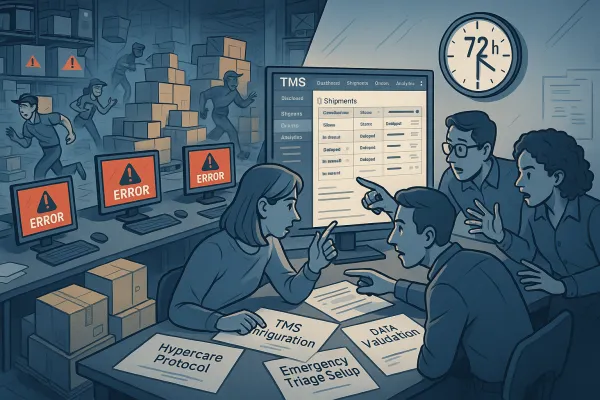
When integration breaks at 3 AM, you need a systematic triage approach. This diagnostic protocol isolates the failure point within six hours—fast enough to prevent Monday morning chaos. Comprehensive testing platforms handle the full scope of automated testing for TMS, supporting regression, performance, and simulation testing with pre-built test libraries and customizable templates.
Time-box the diagnosis: two hours on data mapping review, two on connectivity testing, two on end-to-end validation. Resist the urge to jump straight into code fixes. Systematic diagnosis prevents fixing symptoms while missing root causes.
Hour 1-2: Data Field Mapping Audit
Start with your integration specification document. Map every TMS field to its ERP equivalent. Look for data type mismatches first—integers trying to fill decimal fields, 50-character strings cramming into 20-character limits, date formats that don't match.
Check transformation rules. Your TMS sends carrier codes like "FEDX_GRD" but your ERP expects "FG". Simple, right? Until FedEx changes their API response structure and suddenly your transformation logic breaks.
Focus on critical data points: order numbers, customer codes, ship-to addresses, freight charges, delivery dates. When your system sends an order creation request, TMS validates the data and returns a response, with webhooks enabling real-time notifications when order status changes.
Review field-level validation rules. Your TMS might accept 35-character purchase order numbers while your ERP caps at 25. Data gets truncated silently, creating downstream matching problems.
Hour 3-4: Real-Time Connectivity Testing
Test API endpoints with actual production credentials in your sandbox. Don't assume development keys work identically to production. Check authentication tokens, certificate validity, firewall rules.
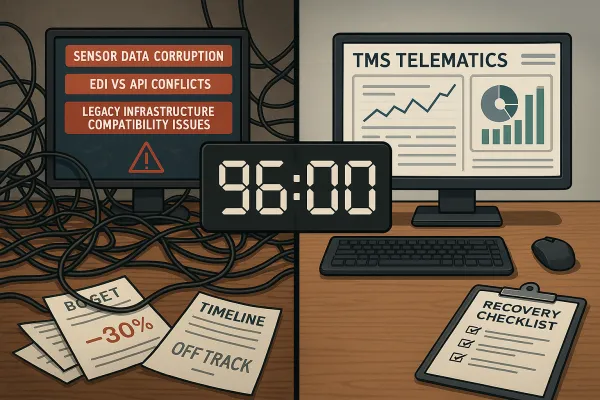
EDI inside an ERP or TMS creates tight coupling, with ERP, TMS, and WMS having very lightweight EDI processing. Legacy systems often rely on outdated protocols. Your new cloud TMS uses REST APIs while your ERP still expects SOAP calls or file drops.
Validate timeout settings. Network latency between your TMS and ERP might spike during peak hours. If your timeout is set to 30 seconds but the ERP needs 45 seconds to process complex orders, integrations fail intermittently.
Test error handling. Send malformed data intentionally. Does your integration retry gracefully or fail catastrophically? Design your integration architecture determining which systems will send orders, how data will be mapped, and how you'll handle errors.
Hour 5-6: End-to-End Validation Protocol
Run complete business process tests. Create a test order in your TMS. Verify it appears correctly in your ERP. Book a shipment. Confirm tracking updates flow back. Generate an invoice and check accounting integration.
Test exception scenarios. What happens when a carrier rejects a shipment? Does the status update cascade through both systems? Can users see the rejection reason in both interfaces?
Validate user permissions. Your TMS user might have read-write access while your ERP integration user only has read access to certain modules. These permission mismatches surface during integration testing, not development.
The 15 Most Critical Data Points to Validate
These fields cause 80% of integration failures. Validate each one individually:
- Customer master data (account numbers, billing addresses, payment terms)
- Product codes and descriptions (SKU matching, weight/dimension sync)
- Order headers (PO numbers, ship dates, delivery requirements)
- Shipment details (carrier selection, service levels, special instructions)
- Financial data (freight charges, taxes, currency codes)
- Inventory levels (available to promise, allocated quantities)
- Tracking information (pro numbers, delivery confirmations, POD images)
- Exception codes (damage claims, delivery failures, billing disputes)
Each data point needs forward and reverse validation. Can your TMS create a customer in your ERP? Can your ERP push inventory updates to your TMS? Bidirectional data flow multiplies complexity geometrically.
Emergency Response: When Integrations Fail in Production
Production failures require immediate triage. You have 30 minutes to decide: fix fast or roll back. This is a huge challenge and workload to tackle for any company.
First, identify the failure scope. Is it affecting all transactions or just specific customers/carriers? Check your integration logs for error patterns. Look for timing correlation—did failures start after a system update?
Implement manual workarounds immediately. Export pending orders from your TMS and import them manually into your ERP. It's ugly but it prevents order backlogs from cascading into customer service disasters.
Document everything. Time stamps, error messages, affected transaction IDs. This data becomes invaluable for root cause analysis and vendor escalation.
Prevention: Building Integration Resilience
Design integrations with failure in mind. Use message queues for asynchronous processing. Implement retry logic with exponential backoff. Build health check endpoints that monitor integration status continuously.
Establish data governance protocols. Who approves field mapping changes? How do you test API updates before production deployment? Seamless integration of continuous testing into system development workflows helps detect potential issues early, with automated overnight testing providing actionable insights.
Create integration runbooks. Document step-by-step troubleshooting procedures. Include vendor contact information, escalation procedures, and rollback instructions. When systems fail at 2 AM, clarity saves hours.
Tools and Resources for Integration Success
Consider integration platforms like MuleSoft, Dell Boomi, or Zapier for complex scenarios. These tools provide visual mapping interfaces, error handling, and monitoring capabilities that reduce custom coding requirements.
For TMS solutions, evaluate platforms with strong API capabilities: Cargoson offers modern cloud-native integration, Oracle provides enterprise-grade connectivity, SAP delivers comprehensive ERP alignment, and MercuryGate specializes in multi-modal operations.
Invest in integration testing automation. Tools like Postman, SoapUI, or Cycle Labs can automate API testing and detect breaking changes before they reach production.
The next integration failure is coming. The question is whether you'll spend 30 minutes fixing it systematically or 30 hours fighting fires. This diagnostic framework is your systematic approach to integration resilience—use it before you need it desperately.