TMS Real-Time Visibility Failures: The 6-Hour Diagnostic That Fixes 90% of Integration Issues

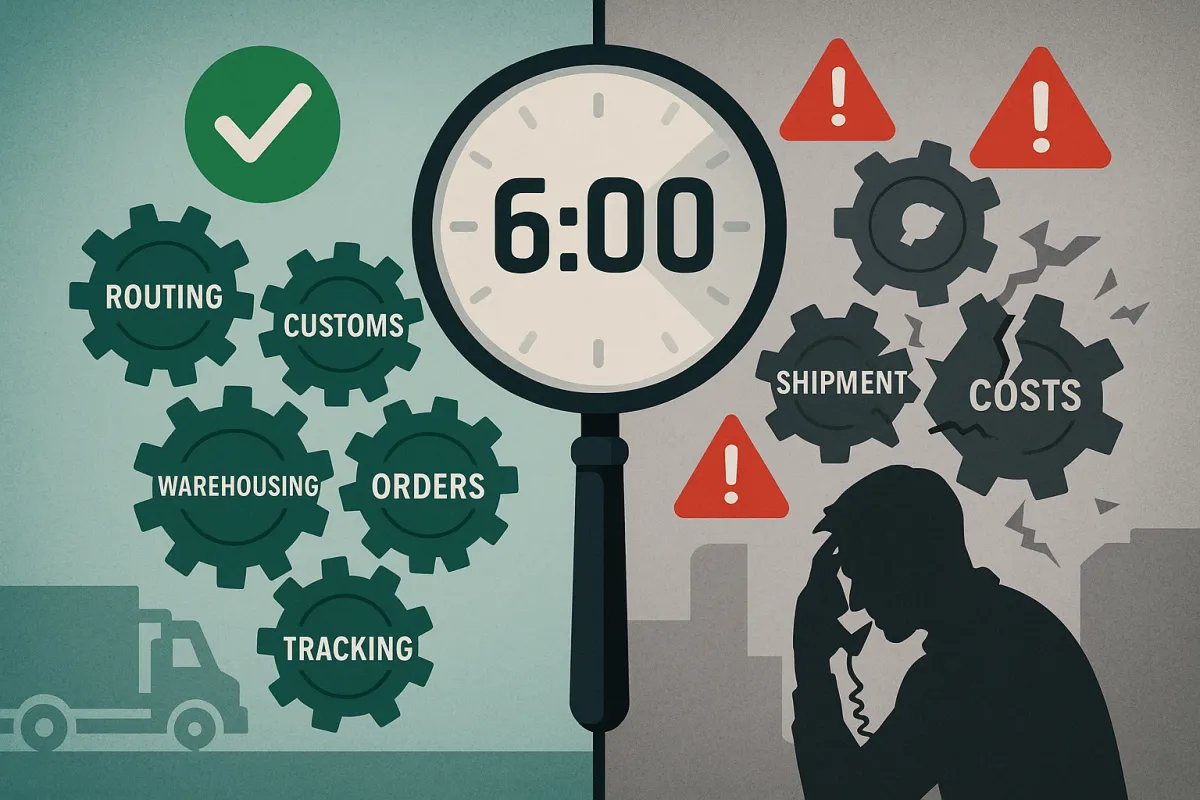
Your TMS shows a green checkmark for every shipment. Your dashboard claims 98% on-time performance. Then you get the call: three critical shipments disappeared somewhere between Chicago and Denver, and your biggest customer wants answers you don't have.
Most TMS platforms promise real-time visibility but deliver something closer to "eventually visible." With nearly 30% of shippers saying the most significant threat to their supply chains are geopolitical, economic and physical disruptions, according to our 2024 customer research study, shippers more than ever need the enhanced level of agility, speed and control over their supply chains. Yet when you dig into those visibility failures, three root causes surface every single time.
Why Real-Time Visibility Fails: The 3 Root Causes Behind Every TMS Blind Spot
Over 50% of companies lack end-to-end supply chain visibility, forcing them into reactive mode. That statistic becomes personal when you're the one fielding angry customer calls at 9 PM on a Friday.
Batch Processing: When Your TMS Lives in Yesterday
Your TMS pulls data like it's checking mail. Every hour, maybe every 30 minutes if you're lucky, it reaches out to carriers for updates. Meanwhile, that truck broke down 45 minutes ago, the driver already called dispatch, and your customer's receiving dock has been waiting with overtime labor costs ticking higher.
Direct connections with carriers and tracking devices push updates instantly instead of waiting for batch processing. When a truck stops, reroutes, or encounters delays, your dashboard reflects the change within minutes, not hours. The difference between 15-minute updates and hourly batch jobs isn't just technical. It's the difference between proactive problem-solving and damage control.
Think about detention charges. A driver arrives at 2:15 PM for a 2:00 PM appointment. With hourly batch updates, you won't know about the delay until 3:00 PM. By then, you're already looking at detention fees and missed delivery windows downstream.
System Fragmentation: The Patchwork Problem
Your platform might track FedEx and UPS perfectly but go completely dark when shipments transfer to local delivery services or specialized freight carriers. Here's what that looks like in practice: you tender a shipment to FedEx Ground, which hands it to a regional carrier for final mile. Your TMS shows "delivered to carrier" while your customer shows "shipment not received."
When a shipment moves from your integrated carrier to an unconnected regional partner, visibility vanishes at the handoff point. TMS real-time visibility issues compound because these smaller carriers often handle the most challenging delivery scenarios where real-time updates matter most.
You end up managing visibility through five different carrier portals, three spreadsheets, and whatever your dispatcher remembers from phone calls. Nobody sees the complete picture.
The 6-Hour Diagnostic Protocol: Root Cause Analysis That Actually Works
Skip the vendor finger-pointing. When visibility fails, you need systematic diagnostics that isolate problems fast. This protocol identifies root causes in six hours instead of six days of back-and-forth emails.
Hour 1-2: API Connectivity Health Check
Start with the basics. Your TMS API connections fail more often than you think, usually from authentication token expiry or rate limiting issues hitting during peak shipping periods.
Check authentication first. Log into your TMS admin panel and verify API credentials haven't expired. Most platforms rotate tokens every 90 days, but the renewal notifications often get buried in IT spam folders. If tokens expired, you'll see successful API calls dropping to zero around the expiration date.
Test rate limits next. All of that is done by listening to the REST API (Application Programming Interface) milestone service built into Navisphere and leveraging its underlying intelligence and connectivity. Your TMS might hit carrier API rate limits during peak times, causing data gaps that look like system failures. Check API logs for HTTP 429 "Too Many Requests" responses.
Verify webhook endpoints. If your TMS relies on carriers pushing status updates, confirm webhook URLs respond properly and haven't changed due to infrastructure updates or security certificate renewals.
Hour 3-4: Data Quality & Format Validation
Poor data input guarantees poor visibility output. You'll find most "system failures" trace back to missing load details, inconsistent data formats, or outdated carrier information.
Check shipment ID mapping first. Your TMS assigns internal shipment IDs that must map to carrier tracking numbers correctly. Mismatched references create duplicates or orphaned tracking records that never update.
Validate address formats. By integrating with forwarders, carriers and other data sources a TMS can provide real-time information on the status of your shipments, including tracking information, delivery times, and any potential delays or issues. Inconsistent address formatting breaks automated geocoding, causing shipments to appear "in transit to unknown location" indefinitely.
Audit carrier master data. Outdated carrier contact information, wrong API endpoints, or inactive carrier accounts create silent failures where your TMS thinks it's communicating successfully but no data flows back.
Hour 5-6: System Alignment & Status Mapping
Your TMS and carrier systems might speak different languages when it comes to shipment status. A carrier reports "out for delivery" while your TMS translates that to "in transit," confusing customers who expect delivery today.
Map status codes between systems. Download recent shipment data and compare carrier-reported status against what appears in your TMS. Look for patterns where carrier updates don't translate correctly or get stuck in processing queues.
Verify status hierarchy logic. Some TMS platforms won't accept "backward" status updates (like moving from "delivered" back to "exception") even when legitimate. This creates situations where exception alerts never display because the system thinks the shipment already completed successfully.
The Quick Fix Playbook: 15-Minute Solutions for Common Visibility Problems
Not every visibility failure needs vendor intervention. These quick fixes resolve the most frequent issues while you work on longer-term solutions.
Shipment ID Mismatch Resolution
Create a reference matching protocol. When shipments show duplicate or missing tracking updates, export shipment data and carrier tracking numbers into a spreadsheet. Use VLOOKUP or similar functions to identify mismatched references.
For immediate fixes, manually update tracking references in your TMS for critical shipments. Document the pattern and push for automated reference validation in future system updates.
Set up reference confirmation workflows. Have dispatchers screenshot or save confirmation emails showing both your internal shipment number and the carrier's tracking number when tendering loads.
Status Update Lag Fixes
Reduce polling intervals where possible. If your TMS checks carrier status every hour, push for 15-minute intervals during business hours. The API cost difference is minimal compared to detention charges from missed alerts.
Leverage predictive ETA and tracking data for proactive exception management by setting up custom alerts for shipments approaching delivery windows without recent status updates. This catches stuck tracking before customers complain.
Implement escalation triggers. Configure alerts when shipments haven't updated status within 4-6 hours during transit. Your team can proactively contact carriers instead of waiting for customer complaints.
Prevention Protocol: 5 Configuration Changes That Stop 80% of Future Issues
Fixing visibility problems repeatedly costs more than preventing them. These configuration changes eliminate the most common failure points.
However, the ROI from implementing a TMS can only be truly maximized when paired with a real-time visibility solution, and as a result choosing a real-time transportation visibility (RTTV) provider in parallel to a TMS can fast-track these benefits. But integration complexity often creates more problems than it solves.
Unified vs. Separate Visibility Solutions
Consider platforms that combine TMS and visibility functionality. Key players in this market include Project44, FourKites and Shippeo which are all focused on visibility platforms specifically. Project44 alone has more than 1,400 telematics integrations and 80 TMS/ERP integrations. Solutions like Oracle TM, Blue Yonder, Cargoson, and SAP TM offer integrated approaches that reduce integration complexity.
Separate visibility providers create finger-pointing scenarios when problems arise. Your TMS vendor blames the visibility platform, the visibility vendor blames carrier APIs, and you're stuck troubleshooting issues across multiple support teams.
Unified solutions reduce account management overhead, simplify licensing negotiations, and provide single-point accountability for visibility failures. The trade-off is potentially less specialized visibility features compared to pure-play providers.
You may struggle to integrate data from disparate systems and organizations. Set up automated data validation rules that flag inconsistent information before it enters your visibility pipeline. This prevents garbage-in, garbage-out scenarios that plague most TMS implementations.
When to Escalate: Red Flags That Need Vendor Intervention
Some visibility problems require vendor support, not internal fixes. Recognize these escalation triggers to avoid wasting time on issues you can't resolve internally.
API functionality gaps signal vendor issues. If your TMS lacks specific API modules for real-time tracking or your carrier integrations don't support the data fields you need, internal workarounds won't scale.
Check your contract for visibility modules. Many TMS platforms charge separately for real-time visibility features or limit API call volumes on lower-tier licenses. A TMS should provide full visibility into all of your shipments. It needs to be properly integrated with your other systems (ERP) and carriers. If these features weren't included in your original purchase, you'll need to negotiate licensing upgrades.
Carrier network coverage limitations require vendor action. project44 has built real-time connections to thousands of carriers worldwide. You'll have access to direct APIs and over1,000 telematics and ELD providers. If your key carriers aren't supported by your TMS visibility network, you need vendor development or platform migration, not internal workarounds.
Document everything before escalating. Vendors respond faster when you provide specific API logs, error messages, affected shipment numbers, and reproducible scenarios instead of vague "visibility isn't working" complaints.
Your next move: pick one failing shipment from this week and run it through the 6-hour diagnostic protocol. Document what you find. Most teams discover their visibility problems stem from data quality issues they can fix internally rather than platform limitations requiring vendor support.