(Untitled)

A mid-sized German automotive parts manufacturer spent €800,000 on their TMS implementation, only to discover six months later that their new system couldn't handle their complex carrier network across 12 countries. The integration with their existing ERP systems broke down completely, requiring a full platform re-implementation.
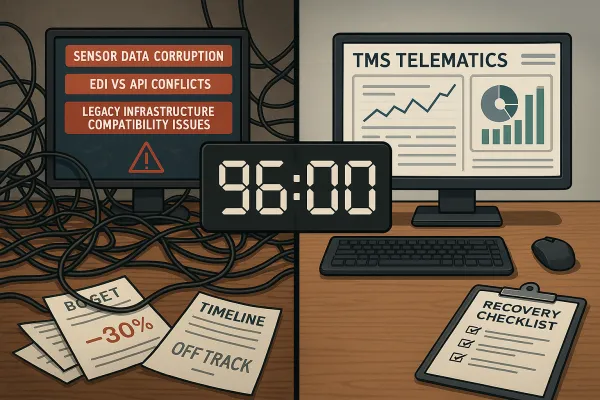
Sound familiar? Budget overruns hit 75% of European TMS implementations, and most failures trace back to the same root cause: the integration gap between TMS and legacy ERP systems continues to prevent manufacturers from capturing the full value of their digital transformation initiatives.
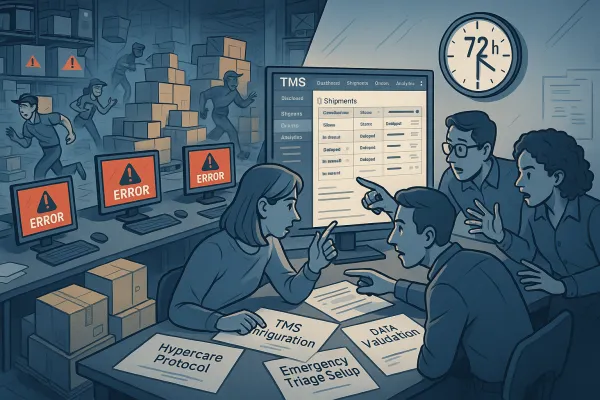
Your TMS ERP integration doesn't have to become another casualty statistic. This 48-hour diagnostic framework will help you identify what's broken, fix the immediate problems, and prevent future failures before they drain your budget.
The Integration Crisis That's Costing Millions
The European transportation management systems market, valued at USD 2.70 billion in 2022, is growing at 12.1% annually and forecasted to reach €2.1 billion in 2028, yet over 60% of companies still operate on-premise systems despite cloud deployment leading with 63% revenue growth in 2024. This disconnect creates massive integration challenges.
Implementation costs range from €30,000 to €900,000, and for shippers with freight spend exceeding $250M annually, implementation can cost 2-3 times the subscription fee. Yet these numbers don't account for the hidden costs when integrations fail completely.
The scale becomes clearer when you consider vendor consolidation. WiseTech Global's $2.1 billion acquisition of E2open, expected to complete in 1H26, alongside Descartes Systems Group's $115 million acquisition of 3GTMS in March 2025, represents the most significant TMS vendor consolidation wave in over a decade. Legacy systems that worked with smaller vendors often can't handle the integration complexity of consolidated platforms.
The technical challenge multiplies across European operations. The average company that performs EDI has anywhere from 100-200 partners, and 400-500 maps—all of which will be impacted by the switch. When Blue Yonder, Manhattan Active, Oracle TM, or SAP TM implementations require custom development for carrier integrations, costs spiral quickly. Modern solutions like Cargoson, MercuryGate, and Descartes often provide better out-of-the-box connectivity, but only if you identify integration requirements early.
The 48-Hour Diagnostic Framework
When your TMS ERP integration breaks down, you need a systematic approach to identify root causes quickly. This timeboxed framework prevents analysis paralysis while ensuring you don't miss critical failure points.
Allocate specific team members to each 12-hour phase. Don't try to tackle everything simultaneously. Each phase builds on the previous discoveries, and rushing ahead without completing validation steps creates false positives that waste time later.
Hour 0-12: Data Flow Mapping and Validation
Start with order creation in your ERP system and trace every data touchpoint through to shipment completion in your TMS. During the integration process, organizations may encounter issues with data migration, where transferring large amounts of data from the old system to the new TMS can be time-consuming and prone to errors.
Map these specific data elements: customer master records, product catalogs, pricing matrices, carrier contracts, and shipment statuses. Create a spreadsheet documenting where each field originates, how it transforms between systems, and where it terminates.
Test with real production data, not sanitized examples. Pull actual customer orders from the past week and manually trace their journey. Use actual historical data for integration testing, not synthetic test cases. You'll often discover field mappings that work in your test environment but fail under production conditions.
Look for data format mismatches between systems. Your ERP might store customer codes as alphanumeric strings while your TMS expects pure numeric values. These seemingly minor differences cause cascade failures that take hours to troubleshoot in production.
Hour 12-24: EDI and API Connectivity Audit
Document every communication protocol between your systems. EDI integrations may take several months, whereas, API integrations can take a matter of weeks, if not days, and files may have complex formats requiring the labor of specialists.
Test EDI 204 (load tender), 214 (shipment status), and 210 (freight invoice) transactions individually. Use tools like EDI validators to check document structure before attempting system-to-system transmission. Many integration failures occur because EDI documents pass syntax validation but fail business rule validation.
For API connections, verify authentication tokens, endpoint URLs, and payload formats. Check timeout settings - many integrations break because default timeout values are too aggressive for complex freight data transfers. Document response time baselines for each API endpoint under normal load.
Test webhook reliability by creating artificial delays and network interruptions. The first challenge of EDI inside an ERP, TMS, or WMS is that it will be tightly tied to the ERP. When an enterprise grows and is looking to implement a new ERP or TMS, the switch will impact EDI with its trading partners. Build monitoring scripts that alert when webhook delivery fails or experiences unusual delays.
Hour 24-36: Process Flow and Business Logic Review
Identify where your business processes don't align with system capabilities. Many TMS ERP integration failures occur because companies try to force existing workflows into systems designed for different operational patterns.
Review order processing workflows in detail. Does your TMS create shipments automatically when orders reach "released" status in your ERP? What happens when customers change delivery dates after shipment creation? Document these exception scenarios because they often reveal integration gaps.
Test inventory synchronization under different conditions. As products are shipped, SAP ERP updates the inventory levels in real-time. This integration helps prevent stockouts and overstocking, improves overall inventory management, and ensures that inventory levels are always accurate. What happens when shipments are delayed or returned? Verify that inventory adjustments flow correctly in both directions.
Check billing synchronization processes. SAP ERP generates invoices based on the orders processed and shipment details provided by SAP TMS. This process ensures that customers are billed correctly and that payments are recorded accurately, streamlining the financial aspects of order management. Test scenarios where freight costs change after shipment or when accessorial charges are applied.
Hour 36-48: Performance and Scalability Assessment
Load testing reveals problems that don't surface during normal operations. Validate data flows under peak load conditions, not just steady-state operations. Create test scenarios that simulate your busiest shipping days.
Monitor system response times when processing multiple concurrent orders. Many integrations work fine with single transactions but fail when handling batch processes during peak periods. Document baseline response times for comparison during production troubleshooting.
Test database synchronization under high transaction volumes. Connection pools, database locks, and transaction timeouts often cause intermittent failures that are difficult to reproduce. Run sustained load tests for at least 2 hours to identify patterns.
Verify error handling and recovery procedures. Test failure scenarios and recovery procedures before production deployment. What happens when your TMS goes offline during order processing? How does your ERP handle partial data when integrations timeout? Document these scenarios because they will happen in production.
The Top 12 Integration Failure Patterns (And Their Fixes)
After analyzing hundreds of TMS implementation problems across European manufacturers, these patterns emerge consistently. Each has specific technical fixes that prevent recurrence.
Authentication Token Expiration: Many APIs use short-lived tokens that expire without proper refresh mechanisms. Implement automatic token refresh 5 minutes before expiration, not when the authentication fails.
Data Format Mismatches: ERP systems often use different date formats, decimal precision, or field lengths than TMS platforms. Create transformation rules that handle these differences explicitly rather than hoping systems will adapt.
Timeout Configuration: Default timeout settings rarely match freight data complexity. Increase API timeouts to 60 seconds minimum for shipment creation and 30 seconds for status updates.
Webhook Reliability Issues: Network interruptions and server restarts break webhook delivery. Implement retry logic with exponential backoff and dead letter queues for failed deliveries.
Database Connection Pooling: Insufficient connection pools cause intermittent failures during peak loads. Configure connection pools with maximum sizes that exceed your peak concurrent user count by 25%.
EDI Version Conflicts: Different EDI versions between trading partners cause document rejection. Maintain transformation maps for multiple EDI versions and validate compatibility before implementation.
Custom Field Mapping: Business-specific fields often don't map between systems. Create custom middleware that handles field transformations without modifying core system configurations.
Error Message Ambiguity: Generic error messages don't provide actionable troubleshooting information. Implement detailed logging that captures input data, transformation steps, and specific failure points.
Transaction Rollback Failures: Partial updates create data inconsistency when transactions fail midway. Implement comprehensive rollback procedures that restore all affected systems to previous states.
Cache Synchronization Problems: Cached data becomes stale when systems update independently. Implement cache invalidation strategies that trigger updates across all integrated systems.
Network Latency Issues: Geographic separation between systems creates communication delays. Use content delivery networks and regional data centers to reduce latency below 100ms.
Load Balancer Configuration: Improper load balancing causes session affinity problems. Configure sticky sessions for stateful operations and implement session replication for failover scenarios.
Prevention Playbook: 30-60-90 Day Monitoring
Preventing TMS ERP integration failures requires ongoing monitoring that identifies problems before they impact operations. This phased approach builds comprehensive visibility over 90 days.
Days 1-30: Baseline Establishment. Monitor transaction volumes, response times, error rates, and system availability. Document normal operating ranges for each metric. Set up basic alerts when metrics exceed these ranges by 20%.
Create daily integration health reports showing successful transactions, failed transactions, and average processing times. Review these reports each morning to identify emerging patterns before they become critical failures.
Days 31-60: Advanced Analytics. Implement predictive monitoring that identifies trends before they cause failures. Monitor memory utilization, CPU usage, and database performance alongside integration metrics.
Set up automated testing that validates integration health every 15 minutes. These tests should create sample orders, process them through both systems, and verify data consistency. Alert immediately when tests fail.
Days 61-90: Optimization and Scaling. Analyze performance data to identify bottlenecks and optimization opportunities. Document seasonal patterns, peak load characteristics, and capacity planning requirements.
Implement advanced monitoring that tracks business metrics alongside technical metrics. Monitor order processing accuracy, shipment delivery performance, and customer satisfaction scores to ensure technical reliability translates to business value.
When to Call for Help (And What to Prepare)
Some TMS implementation problems require vendor expertise or third-party specialists. Knowing when to escalate prevents small problems from becoming expensive disasters.
Call for help when diagnostic steps reveal problems beyond your team's technical expertise. Authentication issues, database corruption, or middleware configuration problems often require vendor support or systems integration specialists.
Prepare detailed documentation before contacting vendors. Include system versions, error logs, transaction samples, and timeline information. Failed implementations waste budget and time, but they also damage relationships with carriers and customers who experience service disruptions. Provide specific examples rather than general descriptions.
When working with TMS vendors like Oracle TM, SAP TM, E2open, Descartes, or MercuryGate, understand their support SLA requirements. Many vendors require specific log levels, diagnostic data, or system access before providing support. Prepare these requirements in advance to avoid delays.
Consider engaging with newer platforms like Cargoson that often provide more flexible integration support and faster response times during implementation challenges. Their modern architecture often simplifies troubleshooting compared to legacy platform constraints.
Document emergency procedures for critical failures that impact daily operations. When integrations fail completely, you need manual processes that maintain business continuity while technical teams resolve underlying problems. Test these procedures before you need them in production.