TMS Returns Management: Do You Need a Separate RMS?
Find out which return steps your TMS can run end-to-end, when you need a separate RMS, and how to configure the handoff between them.

Does a TMS Handle Returns on Its Own?
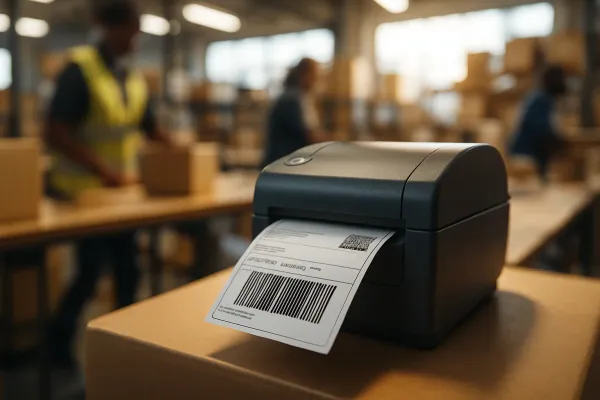
No. A shipper TMS can run the shipping side of a return: reverse labels, carrier selection, pickup scheduling, and tracking. It was never built to decide whether a return is authorized, what condition the item came back in, or whether the customer gets a refund, store credit, or a replacement. Those decisions live in a Returns Management System (RMS) or your WMS, connected to the TMS by API.
That split trips up a lot of ops teams scoping their first RMA workflow. They assume "the TMS does returns" because it can print a return label, then get stuck when someone asks who approves the return in the first place. Here's the honest breakdown, plus a configuration checklist for the TMS half of the job.
What Can Your TMS Actually Do for Returns Without Add-Ons?
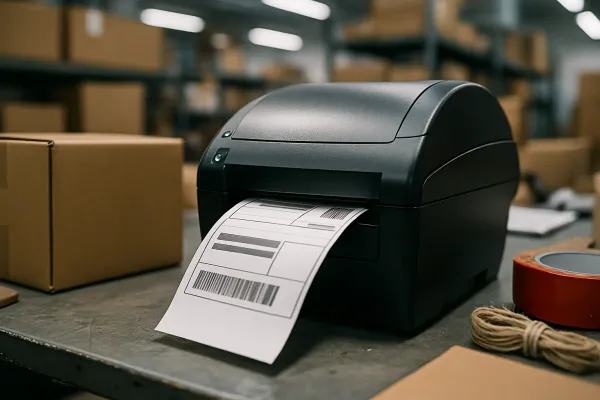
Your TMS natively handles the transportation mechanics of a return: generating a reverse label off your existing carrier contracts, rating that shipment, booking the pickup, and pushing tracking status back to your OMS. That's it. It stops the moment the parcel physically arrives at the dock.
This lines up with how vendors themselves frame the TMS's role in a returns stack. A TMS facilitates efficient reverse shipping, optimizes carrier selection, and tracks shipments in real-time. Notice what's missing from that sentence: nothing about inspecting the item, deciding its next channel, or triggering money back to the customer. Reverse logistics guides put it plainly too. The moment a customer clicks "return," it triggers a chain of decisions: eligibility, refund policy, pickup or drop-off, carrier assignment, route planning, warehouse intake, quality inspection, disposition. Your TMS owns maybe three of those eight steps. The rest need a different system of record.
So the native TMS scope is:
- Reverse label generation using existing rate cards and carrier accounts
- Rating rules for who pays the return leg (shipper-paid, customer-paid, or split by reason code)
- Carrier pickup booking, whether that's a scheduled pickup or a drop-off QR code
- Tracking status updates fed back to the OMS or customer portal
What it doesn't do: return authorization workflow, grading or condition assessment, disposition routing (restock, refurbish, liquidate, scrap), or refund/credit logic. If you're trying to force those into TMS custom fields, stop. You're building technical debt, not a returns program.
When Does Return Volume Justify a Dedicated RMS?
Once your return rate crosses roughly 10%, a bolt-on RMS usually pays for itself. Below that, a TMS plus a manual review queue can often limp along. Above it, the manual grading and refund decisions become the bottleneck, not the shipping.
Retailers with a significant volume of returns have the greatest need, but any retailer or brand with over a 10% return rate should explore an RMS, according to Optoro's returns management research. Category matters as much as volume. Certain retail categories have higher return rates than others, namely apparel, accessories, footwear, bags, cosmetics, sporting goods, and home goods. If you ship any of those SKU types, don't wait for a crisis to make the call.
Run through this quick checklist before you decide:
- SKU complexity: do you have serialized items, lots, or warranty-tracked parts that need condition history?
- Refund logic: does policy vary by channel, region, or loyalty tier?
- Warranty overlap: do returns sometimes turn into repair or replacement claims mid-process?
- Current workaround: are you running returns through spreadsheets or a WMS module never designed for inbound grading?
Two or more "yes" answers, and a TMS-only setup will keep costing you in manual exceptions.
How Do You Configure a Return Label and Rating Workflow Inside the TMS?
Configure it in five steps: reason codes, label template mapping, rating rule, pickup trigger, and a status webhook back to the OMS. Get the reason code taxonomy right first, because everything downstream keys off it.
- Define reason codes — damaged, wrong size, changed mind, warranty defect. Keep the list under 10; more than that and agents start guessing.
- Map each reason code to a label template — service level, package type, and any hazmat or battery flags that differ from the outbound shipment.
- Set the rating rule — who pays. Shipper-paid for defects and wrong-item errors, customer-paid for changed-mind returns, is a common split.
- Trigger the carrier pickup or drop-off — automated booking on label creation, not a separate manual step.
- Fire a status webhook — label created, carrier scan, delivered-to-warehouse — back to the OMS or RMS so nobody is refreshing a carrier portal to find out where a return is.
Screenshot placeholder: your config screen should show the reason code column mapped directly to a service level, not a free-text field someone fills in by hand.
What Data Needs to Flow Between the TMS, WMS, and RMS?
The TMS emits label and tracking events. The WMS confirms physical receipt and, if it's doing the grading, condition. The RMS, if you have one, owns disposition and refund status end to end. Pick one system as the source of truth for "return closed" or you'll issue duplicate refunds.
A full RMS platform is built to own that whole chain. A return management system (RMS) is the full platform, the portal plus the automation engine, the inspection workflow, the refund logic, and the integrations with your ERP, warehouse, and carriers. Compare that to a bare returns portal, which is the customer-facing form where shoppers submit a return, one module within a broader system — a portal alone gives you intake, nothing else.
| Step in the return journey | Owned by | Data it sends downstream |
|---|---|---|
| Authorization / RMA approval | RMS (or OMS rules engine) | Approved reason code, eligible label type |
| Label generation, rating, pickup | TMS | Tracking number, carrier scan events |
| Physical receipt | WMS | Received timestamp, quantity match |
| Grading / condition check | WMS or RMS | Condition grade, photos if defective |
| Disposition (restock, refurbish, liquidate) | RMS | Next-channel routing decision |
| Refund / credit issuance | RMS or OMS/ERP | Refund status, closed flag |
What Metrics Prove the Return Workflow Is Working?
Three numbers tell you whether the workflow is healthy: recovery rate, cost per return, and on-time exchange rate. Track them monthly, and put label-issued-to-warehouse-receipt lag on the same dashboard, since that's the metric that's purely on your TMS side.
Recovery rate shows the percentage of returned asset value recovered through repair, refurbishment or resale, measuring the financial performance of the reverse logistics program, while cost per return divides total processing cost by units processed, benchmarking labor, parts and overhead efficiency. On-time exchange rate tracks the percentage of exchanges fulfilled within the committed service window, measuring rapid exchange program reliability for end users, per returns benchmarking guidance from Premier Source Solutions.
For a TMS-only view, a simple query works: pull label_issued_at, first_carrier_scan_at, and warehouse_received_at from your event log, then average the gap in hours between label issuance and warehouse receipt. If that number creeps past your carrier's stated transit time by more than a day, you've got a pickup-scheduling problem, not a carrier problem.
Which Vendors Handle the TMS Side of Returns Well?
Most multi-carrier shipping platforms and TMS tools can generate reverse labels and rate return shipments; where they differ is how deep that logic goes before you need a bolt-on RMS. Platforms like Descartes, MercuryGate, and Alpega sit on the enterprise TMS side, while multi-carrier shipping tools such as ShippyPro, Sendcloud, EasyPost, Shippo, and Cargoson focus on label and rate management across carriers, reverse leg included.
None of them replace a dedicated RMS like ReverseLogix or Optoro for grading, disposition, and refund orchestration. If your return volume is still under that 10% threshold, a solid TMS-plus-webhook setup covers you. Past it, budget for the second system, and design the handoff before you buy it, not after.