TMS Data Quality Framework: The 7-Phase Validation Protocol That Prevents 90% of Implementation Failures Through Bulletproof Data Migration and Master Data Management

TMS implementation failure isn't just about missed deadlines or budget overruns. A staggering 76% of logistics transformations never meet their budget, timeline, or performance targets, yet European manufacturers continue racing toward TMS implementations without adequate data quality frameworks. The single most common implementation failure is data migration quality.
You know those customer records where the same broker appears spelled three different ways across years of data? Same broker spelled three different ways across years of data. Migrate the dupes and AR aging by customer is meaningless. Or the dispatch dropdowns still showing drivers who left in 2022? Drivers who left in 2022 still show in dispatch dropdowns. Research revealing that 82% of Dutch and Belgian companies fear their TMS solution will fail to deliver due to unusable, dirty data or poor data quality in system integrations confirms what most operations teams already know: data quality kills more implementations than vendor selection mistakes ever will.
The Hidden Cost of Poor Data Quality in TMS Operations
Here's the part your CFO probably doesn't understand: The financial leak isn't primarily in expensive software licenses, but in the serious misallocation of your existing manpower. Without a strict separation between core duties (strategy, consolidation, relationship management) and peripheral tasks (data correction, retyping), internal adoption of the new software package stalls. Disruptions breed heavy workloads, heightened error rates, and ultimately, increased staff turnover.
Supply chain planners waste hours retyping freight data from PDFs because supply chain planners waste hours every week retyping freight data from PDFs into the TMS interface. Software demands rigid data components like UN/LOCODEs, standardized Incoterms, and strictly defined weight dimensions. The moment a document sender uses an unconventional notation, the process stalls and a human has to intervene.
Your qualified freight forwarders didn't sign up to copy-paste container numbers. This creates 'shadow administration': tasks that aren't in the job description and add zero strategic value, but are absolutely necessary to keep primary systems running. Deploying locally paid, tactically trained personnel for repetitive data management causes a direct mismatch in your labor-to-value ratio.
Phase 1-2: Data Discovery and Current State Assessment
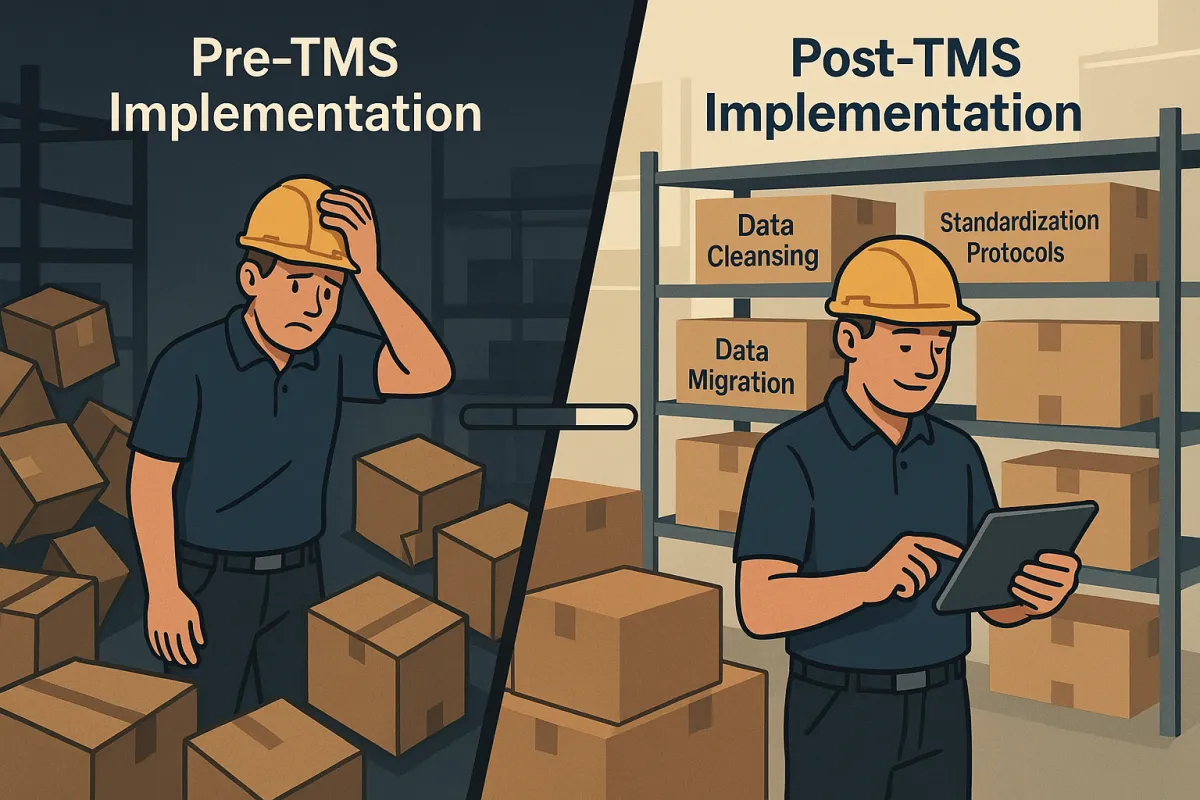
Before you migrate anything, inventory what you actually have. Inventory current-state data: customers, locations, vendors, drivers, equipment, rate tables, open loads, AR aging, AP aging. Export each dataset and face reality about data quality before any vendor gets involved.
Start with master data that directly impacts day-one operations. Customer duplicates create immediate invoice reconciliation problems. Dead equipment records confuse dispatchers. Standing rates per lane that haven't been updated. Migrate stale rates and your dispatcher quotes are wrong on day 1.
Document your current integration landscape: ERP connections, carrier data feeds, legacy system exports. Most TMS data migration projects underestimate integration complexity. Basic API integrations cost €5,000-€15,000, while complex ERP connections exceed €50,000. For shippers with annual freight under management exceeding €250M, implementation costs often run 2-3x the subscription fees.
Build a dependency map showing which downstream systems rely on TMS data. Payroll systems that pull driver settlements, accounting systems that import freight invoices, customer portals that display shipment tracking - these all break when migration quality fails.
Phase 3-4: Data Cleansing and Standardization Protocols
Clean your data in the source system first. Clean as you export. Address mismatches, dupe customers, dead drivers — fix in source first. Don't migrate problems hoping the new system will handle them better.
Customer and vendor deduplication requires manual review, not automated matching. The same logistics provider might appear as "ABC Transport", "ABC Transport Ltd", and "ABC Logistics" across different business units. Establish naming conventions before migration, not after.
Rate table validation matters more than most teams realize. Outdated lane rates, expired fuel surcharges, and inactive service levels create quoting problems immediately. Review rate cards with your commercial team before migration. Deactivate anything that hasn't been used in 12 months.
Handle problem records decisively. Open AR that doesn't reconcile. Aged invoices in the old system that don't have a clean trail. Don't migrate these — close them out in the old system, start clean in the new. Your accounting team will thank you during month-end close.
Phase 5-6: Migration Testing and Validation Framework
Single biggest risk: data migration quality. Bad customer/vendor data + bad rate data = bad invoices on day 1. Single biggest controllable safeguard: a 2–4 week parallel-run period where the old and new TMS run side-by-side and dispatch double-keys until reconciled.
Don't skip the parallel run period. Test invoice generation end-to-end on a sample load. Numbers must match what would have come out of the old system. Process the same load through both systems and reconcile every field: customer billing, carrier settlement, accessorial charges, fuel calculations.
Build validation queries that catch migration errors early. Check for orphaned records (loads without valid customers), missing required fields (customer credit terms, carrier payment terms), and data type mismatches (text in numeric fields).
Test your integrations under load. Wire up integrations: ELD (Samsara/Motive/Geotab), accounting (QuickBooks), factor (Apex/RTS/etc.), load board (DAT/Truckstop). One at a time — verify each before moving on. Integration failures compound during high-volume periods if you don't test realistic transaction volumes.
Document your rollback procedure before go-live. Know exactly how to revert to the old system if critical functionality breaks. This isn't pessimism - this is operational discipline.
Phase 7: Post-Migration Monitoring and Continuous Quality Controls
Data quality failures accumulate quietly when no one owns the integration health dashboard. Teams without automated monitoring show a median MTTD of approximately 47 minutes. Teams with Python-based monitoring achieve a median of 12 minutes. MTTD is one of the most important data quality KPIs because the majority of business trust damage from quality failures happens in the window before the engineering team knows there is a problem.
Build daily data quality dashboards that track key metrics: duplicate customer creation rates, failed invoice generation attempts, integration sync errors, and data completeness percentages. Start with four: Pipeline Completeness Rate, Data Freshness SLA Adherence, Schema Validation Pass Rate, and Mean Time to Detect. These cover the most common production failure modes and are implementable within a single sprint.
Establish data governance protocols for ongoing changes. Who approves new customer creation? How do rate changes get validated? What's the escalation path when integration errors accumulate?
Weekly reconciliation processes catch drift before it becomes a crisis. Compare key metrics between your TMS and downstream systems: invoice totals, settlement amounts, load counts by status. Automate these comparisons where possible, but always have human review for exceptions.
Emergency Recovery Protocols When Data Quality Fails
When your TMS data quality framework fails, you have two choices: rescue or restart. Implementations that omit these elements often see usage rates decline within 90 days of go-live, at which point recovery requires effort that rivals the original implementation cost.
Rescue projects typically cost 40-60% of your original implementation budget and take 6-9 additional months. The math favors prevention. If any critical blocker remains unresolved by week 7 of your implementation, pause the cutover. Adding a week now costs less than recovering from a botched go-live later.
The most reliable indicator of TMS failure is shadow systems. When the logistics team maintains a separate spreadsheet to track what the TMS is supposed to track, or uses email chains for communication the TMS was configured to automate, the software has been effectively abandoned in practice.
Decision framework for rescue versus restart: If your team needs manual workarounds for more than 30% of daily transactions, or if invoice accuracy hasn't improved within 60 days of go-live, consider restarting with better data preparation.
For European operations, regulatory deadlines add urgency. As of January 2026, eFTI platforms and service providers can start preparing for operations while Member States authorities may start accepting data stored on certified eFTI platforms for inspection. From 9 July 2027, all national authorities will be obliged to accept freight documentation in electronic form via certified eFTI platforms. This creates a hard deadline for TMS data quality frameworks.
Your emergency rollback procedure should include data export protocols from the failed system, communication plans for carriers and customers, and staff assignments for manual processing during system downtime.
Modern TMS platforms like Cargoson, nShift, Transporeon, and Alpega have learned from these common failure patterns. They offer pre-built data validation tools and migration templates specifically designed to prevent the data quality issues that crush implementation success rates. But regardless of vendor choice, your data quality framework determines whether your investment delivers results or joins the 76% failure statistics.
Start your data quality assessment today, not during vendor selection. The TMS you choose matters less than the data you feed it.